Posts

Secure CNC File Transfers for CMMC

There was an imaginary moat that once existed between IT and the shop floor. It used to feel like protection, safely guarding teams around their specializations – whether pumping out parts or ticket resolutions.

Today, it feels like exposure. Cybersecurity experts note that traditional “air-gapped” assumptions are breaking down as Industry 4.0 connects once-isolated machines to networks, USB drives and remote access pathways. Especially for manufacturers handling defense, aerospace or medical device parts, that shift has turned everyday habits into compliance and cybersecurity liabilities.

Secure CNC File Transfers for CMMC

The ability of threat actors to penetrate networks, says global cybersecurity leader ESET, has become easier with the use of network protocols built on top of publicly documented internet protocols, human/machine interfaces and other computing devices that run familiar OS and adoption of IIoT devices.

When Audits Get Real

Picture a plant that looks like the many you know: rows of CNCs, a busy programming office and a shop floor where hitting the schedule is non‑negotiable. The company has grown into defense work, signed DFARS clauses and hears CMMC 2.0 mentioned in every customer review meeting. But in the rush of production, file movement still runs on muscle memory.

Then comes the CMMC audit.

An assessor makes a simple request: “Walk me through how this CNC program traveled from the engineer’s workstation to this machine.”  The real response may be a shared folder with broad permissions, or a thumb drive passed between machines. Maybe an e-mail attachment when someone was in a rush.

What once felt effective now looks like uncontrolled data movement.

Standards like NIST 800-171 and CMMC 2.0 place clear emphasis on media protection, access control and traceability, especially when handling Controlled Unclassified Information (CUI). In the audit room, “we’ve always done it this way” becomes a risk statement.

Balancing “Lock It Down” with “Keep It Running”

Leadership often issues a mandate: tighten security, eliminate unmanaged USBs and reduce lateral movement across networks.

But operations departments live by different metrics: spindle uptime, on-time delivery and scrap rates. If security controls create too much friction at the machine, shadow workflows return.

This is the core tension in Operational Technology (OT) security. Lock down VLANs and disable ports – but leave operators dependent on untracked USB transfers to legacy CNCs – and you create the worst of both worlds: IT complexity and invisible audit exposure.

The question isn’t whether to isolate. It’s how to isolate without isolating production.

Build A More Practical Bridge

That’s where structured DNC, an industrial networking software solution that transfers your CNC program and production data for all of your equipment, and controlled program delivery come in.

Bridge the Air Gap Between IT and the Shop Floor

Manufacturing integrators like Shop Floor Automations help manufacturers replace ad-hoc USB transfers with secure, centralized file distribution built for OT environments. Instead of programs walking across the floor on thumb drives:

  • Files move through a single, secure DNC network engineered for industrial systems
  • Revision control ensures only the released version reaches the machine
  • Machine-level traceability logs who sent what file, from where and when
  • Role-based access controls restrict who can upload, modify or release CNC programs

Now the audit question: “How did this program get here?” The answer becomes a report, not a debate.

This approach aligns security requirements with production reality. Operators no longer chase files. Engineers don’t wonder which version is running. IT gains compliance without blocking the floor.

Control CNC Program Access - Shop Floor Automations

Manufacturers in regulated supply chains understand that CNC network isolation is critical to achieving CMMC 2.0 and related frameworks. But isolation doesn’t have to mean that production is secluded from the rest of the business when proper controls are instituted.

Making Isolation Work in Practice

Shops that successfully (and securely) separate networks and machines share three traits:

  1. Aligned ownership. Corporate policy and IT define guardrails; manufacturing engineers define workflow. Security becomes enforceable without becoming unworkable. All stakeholders should be vested in the project for long-term adoption and compliance.
  2. Legacy-aware solutions. Most facilities run mixed equipment. Older machines weren’t designed for today’s segmentation or encryption standards. Purpose-built OT tools, including integrated CNC hardware, secure DNC software and production data management (PDM) software, meet modern standards without forcing cost-prohibitive equipment replacement.
  3. Clear documentation and training. Technical controls only work well when paired with easy-to-follow work instructions, role-based permissions and expert guidance that’s available via phone or onsite consultation.

When these attributes come together, manufacturers not only become audit-ready but operationally confident. Operators trust that the file at the machine is current and approved. Plant management sees improvements to productivity, efficiency and turnover on the floor. Leadership trusts that compliance risk is controlled.

From Liability to CMMC 2.0 Compliant-File Transfers

Manufacturers in regulated supply chains understand that network isolation is critical to achieving CMMC 2.0 and related frameworks. But isolation doesn’t have to mean that production is secluded from the rest of the business.

When implemented thoughtfully, that is, with secure DNC networking, centralized revision control and full traceability, cybersecurity becomes an operational advantage that evolves past compliance to greater accuracy, less carryover workflows and better productivity.

If your answer to “How did this program reach that machine?” still involves shared drives and anonymous USBs, take on your digital moat with the technical experts at Shop Floor Automations to set up CMMC 2.0 compliant-CNC file transfers to safeguard your production runs, and your manufacturing business.
Scrap material in manufacturing - Shop Floor Automations

Imagine this: as a manufacturer, one of your engineers or CNC programmers has finally completed a product design for a part worth $75,000. They add the files to a USB thumb drive and run it out to the shop floor to upload the design and work instructions for the second shift. Success, he or she thinks. However, one of your team members made a last-minute change to the files without your knowledge. You won’t find out until the prototype is rejected by the customer, scrapping the part and costing your company thousands of dollars, even more time and effort, further project delays, interdepartmental frustration and a dissatisfied customer. Yikes.

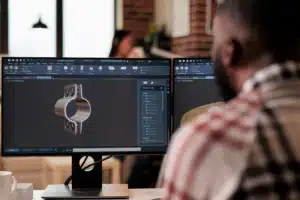
Ideal PDM software ties engineering designs, CNC programs and production documentation for full revision control

In reality, manufacturers today have far greater ability to prevent a scenario like this from occurring in the first place. Modern production data management or product data management (PDM) software solutions are specifically designed to manage your manufacturing documentation, like CNC programs, CMM programs, machine offsets, Standard Operating Procedures (SOPs) and Material Safety Data Sheets (MSDS), to reduce inaccuracies, improve productivity, security and efficiency and speed up time to market. The revision control features of a well-designed PDM, such as Predator PDM, can allow for revisions per vault item, not per file, allowing you to condense the number of files it takes to run your business. New revisions or status changes are validated once-a-minute on every shop floor PC, and the correct program and work instructions may be selected from a pick list tied with the job scheduled in your ERP or MES system – all features to ensure the right CNC production documentation is sent to the right job at the right time.

Proper PDM software aids the CNC program and documentation process on the shop floor for less waste, faster time to market, increased productivity and more.

The use of Windows folders and other alternatives to fulfill regulated traceability requirements often fall short of meeting compliance standards.

Compliance Tracking for CNC Production Documentation

“Manufacturers and their industry partners are becoming greater generators and consumers of data output from their operations, particularly as automation increases,” wrote the National Institute of Standards and Technology (NIST) in late 2023. As regulatory bodies, such as the Food & Drug Administration (FDA), Department of Defense (DoD), and the Federal Aviation Administration (FAA) seek to control this data collection and consumption movement, manufacturers are responsible for tracking, restricting and proving the path of all production documentation. Applying traditional means, like pen and paper, text files or Windows folders, to meet the latest traceability requirements lack the revision control, visibility and reliability to fulfill such mandates. Even USB thumb drive usage can be significantly limited or prohibited altogether in order to achieve compliance. With so much regulation and new technology available now, how does a manufacturer find and implement an optimal PDM solution?

A partnership with a manufacturing integrator with experience in your industry – be it aerospace, defense, oil and gas, medical device and pharmaceuticals or another industrial sector – and a broad software and hardware portfolio can help you better navigate options to institute effective and compliant processes to deliver profitable products. Contact a manufacturing expert at Shop Floor Automations to help reduce time to market, decrease waste and enhance the security of your CNC production documentation by visiting shopfloorautomations.com now.

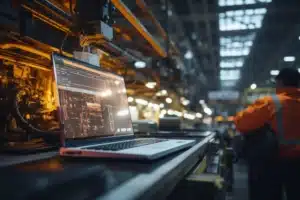
operator at cnc control

Your aged CNC machines and legacy DNC software can work fine…until they don’t. Maybe the PC communicating to the machines starts dropping characters while transmitting the NC code, scrapping parts being machined if not caught by the operator. Or the hardware that has been in place for years fails, sending you on a painful and labor-intensive search for a fix.

You’re not alone. There are countless online machine forums in which IT, operations and engineers embark on such a mission to find the right parameters, mappings, connections or other ways to solve their problem stemming from an antiquated DNC software setup. This can often be the impetus for Original Equipment Manufacturers (OEMs), contract manufacturers and job shops to re-evaluate their entire DNC solution.

One professional wrote about their DNC issue on a Practical Machinist forum, “I am trying to set up communication between OKUMA LB15 OSP5000 and a PC…the machine was connected to an ancient PC with old DNC software running on DOS, and it worked fine until the PC had perished.”

The Power of DNC System Integration

But a lot has changed among Predator DNC systems over the past years that can make teams consider upgrading even before reaching a point of failure. Even more so, the integration of modern DNC with other solutions, such as Production Data Management, Manufacturing Data Collection and Touch HMI, can streamline manufacturing data across applications – something legacy DNCs typically cannot support.

The benefit of such a proactive approach is often improved CNC workflow efficiency and productivity. Here are a few recent DNC enhancements that have helped manufacturers realize these benefits by simplifying DNC CNC program management and manufacturing data control.

  1. Wide OS and Database Support: Modern DNC solutions, like Predator DNC, have added support for Windows 2019 Server, including x64 editions, and compatibility with Microsoft SQL Server 2022 and SQL Server 2022 Express. They should also work with Windows 10 and Windows 11 to ensure seamless integration with the latest operating systems and database technologies so you can avoid security risks, elevated IT costs and industry compliance concerns with CMMC 2.0 and other requirements.
  2. Enhanced CNC Equipment Support: Manufacturers migrating to a new DNC or upgrading their current version can take advantage of new protocols for Fanuc Focas and MoriSeiki to facilitate the serial transfer of Cincinnati Press Brake and Punch Press programs, for example, through one central server.
  3. Machine Error Log Centralization: Up-to-date DNC solutions provide access to all command errors in a single machine-specific error log to easily track errors and troubleshoot issues. This consolidation of errors provides transactional visibility across shifts to allow for consistent support on the floor.
  4. Greater Security and Control: For manufacturers in particularly security-sensitive industries, like aerospace, medical and defense, upgrading to a modern DNC solution can enable you to securely access and manage the “EditLock” key switch on a machine tool through the DNC to lock and unlock CNC memory so you can effectively:
    • Control edits of G-code on machine tools
    • Eliminate physical edit keys
    • Report lock, unlock, and sending activity
    • Enable maintenance control with an override switch to disable

At the same time, automatic compression, encryption, and batch file operations features of advanced DNC solutions grant heightened security and control over CNC communication – which is critical when CNC controllers that use outdated Windows OS are left behind when connecting them to the corporate network. A well-designed, secure DNC enables such CNC to remain on the network by installing a small executable on the CNC and bypassing the domain requirements.

  1. An Intuitive User Experience: Modern DNC systems tend to have refreshed user interfaces with color schemes and toolbar buttons that offer an intuitive user experience. Other enhancements, such as improved FTP support, including passive mode and automatic file deletion, simplify the file transfer processes for manufacturers, while comprehensive online help resources give users the self-directed guidance they need to maximize productivity.

The integration potential of modern DNC to other manufacturing applications streamlines data to improve CNC workflow efficiency and productivity, which is something legacy DNCs typically cannot support.

These developments of the latest DNC software can be reason enough to upgrade your existing setup. Through the integration of a modern DNC system with other manufacturing applications under one solution, however, manufacturers can experience even more efficiency and productivity on the floor.


Upgrade Your Predator DNC Software Today!

At Shop Floor Automations, we are proud to be the top distributor of Predator software in the United States. We strive to provide custom DNC software solutions that will streamline your operation and boost productivity. Contact us at any time to discuss your software, hardware and machine monitoring needs.