CNC program transfers with Windows 10

Last month Nucor, North America’s largest steel producer, acknowledged a cybersecurity incident involving unauthorized third-party access to certain IT systems, reported Reuters. As a precaution, Nucor temporarily halted production at multiple facilities while forensic teams and external cybersecurity experts investigated the breach and worked to contain its impact. Nucor’s incident is just one example of how cyber threats exploit aging digital infrastructure – and for many manufacturers, that infrastructure often includes Windows 10. But with Windows 10 reaching end of support on October 14, 2025, there is a deeper risk for shops that continue to rely on aging CNC infrastructure.

Aging CNC infrastructures impact cybersecurity and operational efficiency

This year, manufacturers that don’t upgrade their Windows 10 machines risk missing critical OS-level security updates and losing compatibility with third-party solutions.

The New Reality of Windows 10 End of Life on CNCs

This year Windows 10 will no longer receive critical OS-level security updates. While support for Microsoft 365 apps on Windows 10 has been extended until October 2028, it’s far from a solution for the shop floor. It still means legacy CNC systems and other production technologies running on Windows 10 will become more vulnerable, not less. Compounding the risk, third-party vendors are already phasing out software support, while next-generation manufacturing platforms – from IIoT to real-time analytics – require compatibility with newer operating systems like Windows 11 and Server 2022. The gap between resilient, future-ready IT strategies and older shop floor systems is widening. This blog post explores what manufacturers can, and must, do to close that gap before it spreads into a serious operational liability.

The USB Epidemic: When Compliance and Productivity Collide

For many manufacturers still operating CNC equipment running on Windows 2000, XP or early versions of Windows 10, network segmentation or USB-based file transfers have become the go-to workaround for such outdated systems. However, this tactic is increasingly risky.

CNC program transfers with Windows 10

Running USB-based CNC file transfers have become the go-to workaround using Windows 10 and other outdated systems. However, this tactic is increasingly risky, exposing manufacturers to ransomware events, CMMC noncompliance and operational inefficiencies.

According to Honeywell’s 2022 USB Threat Report, “52% of threats are specifically designed to utilize USB removable devices,” with the vast majority of those threats able to disrupt industrial systems. Pair these threat actors with unsupported software, says Virgina Tech associate professor Lee Vinsel in a recent BBC article, and “there are all kinds of opportunities for failure here, especially when…companies stop supporting old software. Cybersecurity is a huge worry around this issue.” The Department of Defense well understands this concern. Its Cybersecurity Maturity Model Certification (CMMC) 2.0 framework prohibits unmonitored file transfers and insecure endpoints – meaning non-compliance can result in disqualification from federal contracts.

Operational inefficiencies further intensify the risk. Poor CNC program version control and manual CNC program transfers can cost production hours and potentially lower quality output as a result of incorrect or outdated G-code files being loaded at the machine.

Closing the Gap

Rather than investing millions in full machine replacements, many manufacturers are turning to modern Distributed Numerical Control (DNC) systems to serve as their secure industrial network. Solutions like Predator Secure DNC offer targeted upgrades that align with industry compliance frameworks and cyber-hardening strategies. IT and operational leaders can isolate legacy equipment from domain threats, centralize logging across mixed-machine environments, like Fanuc, Okuma, Mazak and others, and meet NIST SP 800-171 encryption standards via FIPS 140-2 validated cryptography.

The Cost of Complacency

Doing nothing may be the most expensive option. The global average cost of a data breach soared to 4.88M, the highest total ever, according to a 2024 IBM report.

For a temporary and limited reprieve, Microsoft offers an Extended Security Updates (ESU) for Windows 10 that starts at $61 per device Year One, with pricing doubling every consecutive year for a maximum of three years after the end of support for Windows 10. Even so, there is no extended Microsoft ESU option after this time period.

Plotting Your Path

To mitigate the risk of your manufacturing operations, IT and operations should take the following steps to prepare for the end of Windows 10 support:

Windows End of Life on CNCs

  1. Conduct a CNC Operating System (OS) and network audit before Q3 2025, identifying all legacy systems still running Windows 10 or earlier.
  2. Prioritize upgrades for machines processing sensitive IP or DoD-controlled projects.
  3. Implement secure DNC options along with Microsoft’s ESU to support phased migrations and DNC retrofits while maintaining compliance and uptime.

Maximizing Grace Periods

Microsoft’s 365 extension for Windows 10 is not a pardon, it’s simply a grace period. Manufacturers who fail to act may find themselves next in line for a costly ransomware event or compliance failure.

Manufacturing integrator Shop Floor Automations (SFA) has worked with hundreds of manufacturers to navigate such transitions securely and efficiently. The path to a resilient, connected shop floor doesn’t begin with rip-and-replace – it starts with informed decisions and trusted partners.

To receive technical guidance for your manufacturing operations, contact the experts at SFA now.

Ransomware on CNC Machines

How CNC program transfers can overcome the vulnerabilities of SMB1 for greater security and efficiency

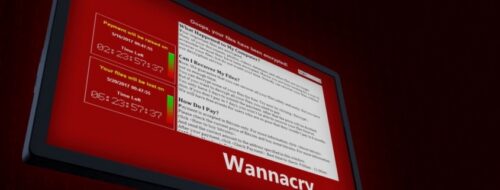
It took mere hours. In May of 2017, a devastating ransomware cryptoworm called WannaCry impacted more than 200,000 computers across 150 countries, ultimately amassing over $4 billion in damages. Only months later, a variation of this worm spread to 10,000 machines in Apple’s single supplier of SoC components for iPads and iPhones, causing a production stoppage for a full day and shipment delays among its major tech customer base. The original worm was halted, but IT services management company Cloudflare asserts that WannaCry attacks continue today.

Ransomware on CNC Machines

The ransomware cryptoworm WannaCry notably affected TSMC, which manufactures processors and other silicon chips for major technology companies such as Qualcomm, AMD and Apple, due to a Windows SMB1 server vulnerability.

Starting with SMB1

What happened to the National Health Service (NHS), FedEx, Taiwan Semiconductor Manufacturing Company (TSMC) and so many others? The WannaCry worm exploited “vulnerabilities in the Windows SMB v1 server to remotely compromise systems, encrypt files and spread to other hosts,” explains a fact sheet from the National Cybersecurity and Communications Integration Center (NCCIC). While patches have since been issued by Microsoft, the software company admits there are still instances in which manufacturers may need to run SMB1:

    1. Your company is running XP or Windows Server 2003 under a custom support agreement
    2. You have old management software that demands admins browse via the “network,” also known as the “network neighborhood” master browser list
    3. You run old multi-function printers with antiquated firmware in order to “scan to share”

For manufacturers experiencing such cases, there are workarounds. SMB1 could be disabled on every system connected to the network, recommends the NCCIC. You can block port 445 (Samba). You can verify that there isn’t any unexpected SMB1 network traffic. You can isolate vulnerable embedded systems. But these options may not necessarily be viable for efficient and protected CNC file transfers among aged equipment.

Transfer CNC Programs on SMB1 Machines

Manufacturers can struggle to disable SMB1 on every machine and still transfer CNC programs efficiently, effectively and securely.

Simplifying Network Setups

An alternate route is to simplify network setups altogether. A modern DNC software, like Predator Secure DNC, enables you to remove Windows shares, corporate domains, workgroups, homegroups, Microsoft SMB, CFS, FTP, DNS, WINS, NETBUI and IPX/SPX within shop floor VLANs, WANs or subnets for DNC or file transfers. This can be especially useful for manufacturers running older CNC equipment with Windows-based controls that lack compatibility with newer operating systems. It can also alleviate the need for system upgrades and service packs to maintain the older versions of Windows.

The original WannaCry worm was halted, but Cloudflare asserts that WannaCry attacks continue today.

In other cases, controllers like Haas classic controllers can be upgraded to another SMB version by contacting the machine tool builder or segmenting the network to address CNC machines that are not upgradable or do not run a Windows operating system. The point is, regardless of your SMB1-dependent machinery environment, you can reduce your ransomware risk while gaining the latest benefits in efficiency and productivity.

An experienced manufacturing integrator possesses the technical expertise to properly assess, assign and execute custom solutions for your company. Contact Shop Floor Automations to understand your full scope of SMB1 options today.

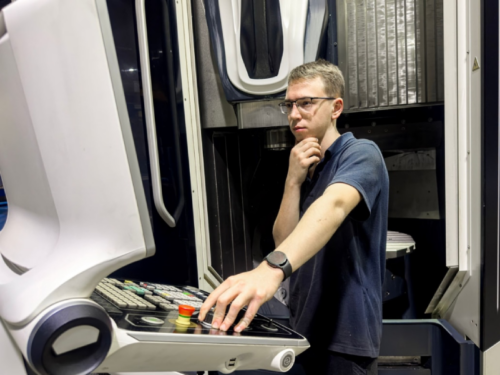
operator at cnc control

Your aged CNC machines and legacy DNC software can work fine…until they don’t. Maybe the PC communicating to the machines starts dropping characters while transmitting the NC code, scrapping parts being machined if not caught by the operator. Or the hardware that has been in place for years fails, sending you on a painful and labor-intensive search for a fix.

You’re not alone. There are countless online machine forums in which IT, operations and engineers embark on such a mission to find the right parameters, mappings, connections or other ways to solve their problem stemming from an antiquated DNC software setup. This can often be the impetus for Original Equipment Manufacturers (OEMs), contract manufacturers and job shops to re-evaluate their entire DNC solution.

One professional wrote about their DNC issue on a Practical Machinist forum, “I am trying to set up communication between OKUMA LB15 OSP5000 and a PC…the machine was connected to an ancient PC with old DNC software running on DOS, and it worked fine until the PC had perished.”

The Power of DNC System Integration

But a lot has changed among Predator DNC systems over the past years that can make teams consider upgrading even before reaching a point of failure. Even more so, the integration of modern DNC with other solutions, such as Production Data Management, Manufacturing Data Collection and Touch HMI, can streamline manufacturing data across applications – something legacy DNCs typically cannot support.

The benefit of such a proactive approach is often improved CNC workflow efficiency and productivity. Here are a few recent DNC enhancements that have helped manufacturers realize these benefits by simplifying DNC CNC program management and manufacturing data control.

  1. Wide OS and Database Support: Modern DNC solutions, like Predator DNC, have added support for Windows 2019 Server, including x64 editions, and compatibility with Microsoft SQL Server 2022 and SQL Server 2022 Express. They should also work with Windows 10 and Windows 11 to ensure seamless integration with the latest operating systems and database technologies so you can avoid security risks, elevated IT costs and industry compliance concerns with CMMC 2.0 and other requirements.
  2. Enhanced CNC Equipment Support: Manufacturers migrating to a new DNC or upgrading their current version can take advantage of new protocols for Fanuc Focas and MoriSeiki to facilitate the serial transfer of Cincinnati Press Brake and Punch Press programs, for example, through one central server.
  3. Machine Error Log Centralization: Up-to-date DNC solutions provide access to all command errors in a single machine-specific error log to easily track errors and troubleshoot issues. This consolidation of errors provides transactional visibility across shifts to allow for consistent support on the floor.
  4. Greater Security and Control: For manufacturers in particularly security-sensitive industries, like aerospace, medical and defense, upgrading to a modern DNC solution can enable you to securely access and manage the “EditLock” key switch on a machine tool through the DNC to lock and unlock CNC memory so you can effectively:
    • Control edits of G-code on machine tools
    • Eliminate physical edit keys
    • Report lock, unlock, and sending activity
    • Enable maintenance control with an override switch to disable

At the same time, automatic compression, encryption, and batch file operations features of advanced DNC solutions grant heightened security and control over CNC communication – which is critical when CNC controllers that use outdated Windows OS are left behind when connecting them to the corporate network. A well-designed, secure DNC enables such CNC to remain on the network by installing a small executable on the CNC and bypassing the domain requirements.

  1. An Intuitive User Experience: Modern DNC systems tend to have refreshed user interfaces with color schemes and toolbar buttons that offer an intuitive user experience. Other enhancements, such as improved FTP support, including passive mode and automatic file deletion, simplify the file transfer processes for manufacturers, while comprehensive online help resources give users the self-directed guidance they need to maximize productivity.

The integration potential of modern DNC to other manufacturing applications streamlines data to improve CNC workflow efficiency and productivity, which is something legacy DNCs typically cannot support.

These developments of the latest DNC software can be reason enough to upgrade your existing setup. Through the integration of a modern DNC system with other manufacturing applications under one solution, however, manufacturers can experience even more efficiency and productivity on the floor.


Upgrade Your Predator DNC Software Today!

At Shop Floor Automations, we are proud to be the top distributor of Predator software in the United States. We strive to provide custom DNC software solutions that will streamline your operation and boost productivity. Contact us at any time to discuss your software, hardware and machine monitoring needs.

Manufacturing Forecasts 2024

At Shop Floor Automations, the top provider of DNC software in the United States, we find it crucial to stay on top of all of the latest manufacturing trends and predictions as these may affect your goals, plans and budgets for the year ahead. As 2023 winds down, it’s an ideal time to peer into the manufacturing crystal ball for 2024.

Overall, there’s an expectation that interest rates will fall in the middle of 2024, fueling more consistent economic growth and acceleration by the end of the year, reports Dodge Construction Network chief economist Richard Branch in Engineering News-Record.

Escalating tensions in the Middle East, Russia and Ukraine may present difficulties, however, as will continued labor issues. Alan Beaulieu, president of ITR Economics, recently told the Association for Manufacturing Technology (AMT) that, “The good news is manufacturers will gain economic strength in this country and secure our economic wellbeing for generations to come. But for the individual manufacturer, there will be higher competition for workers in an already labor-scarce market, and that problem will persist for years. The only hope for companies to survive is to drive efficiencies by adopting automation and other advanced technologies.”

CNC Machine Operator worker productivity

Automating for Worker Productivity and Efficiency

For manufacturers feeling the continued pressures of the labor market, they’ve been heeding Beaulieu’s advice and turning toward technology to increase worker productivity while minimizing costs. There’s many examples of this occurring on the shop floor; let’s dive into three:

  1. “I’m trying to upgrade the machines in my shop to a more modern way of communicating with add-ons to keep costs low.” This manufacturer knows it can’t afford to upgrade its machines altogether. DNC software from manufacturing integrator Shop Floor Automations (SFA) was recommended by a user, sharing their experience that “all machines had their serial to WiFi and it was flawless sending from the DNC computer.” That same user leaned on SFA for machine monitoring software as well, noting that management loved knowing when night shift “truly ran great” based on progress reports from the software.
  2. Generative Artificial Intelligence (AI) is everywhere, says Bernard Marr in Forbes. Use cases are often described within enterprise organizations, such as Hitachi’s AI-generated training videos to ramp up new workers in maintenance and manufacturing. But that doesn’t mean small-to-mid-sized manufacturers can’t leverage this technology in 2024. CGTech’s CNC machine simulation solution VERICUT 9.1, for example, uses AI to learn from cutting while simulation occurs to automatically set up tools for optimization and then auto-optimizes NC programs after learning.
  3. From the outset, Cybersecurity Maturity Model Certification (CMMC) compliance would seem to decrease worker productivity as the control of removable media, including PCMCIA cards and USB drives typically used to transfer CNC programs, is significantly tightened, if not prohibited altogether.

But for manufacturers still relying on such media, they know the inefficiency – and costs – of uploading programs and getting routers per part. The use of one industrial DNC software network for all your CNC machines, robots, CMMs, PLCs, 3D printers and other equipment can help streamline the CNC program transfer process as well as provide revision control. The use of a single DNC network comes just in time, too, as CMMC is expected to be included in public contracts sometime in 2024.

manufacturing speed

By partnering with a manufacturing integrator, you’ll be best positioned to address enduring workforce issues at the lightning pace of the modern digital economy.

“The only hope for companies to survive is to drive efficiencies by adopting automation and other advanced technologies.”

While manufacturers look to technology to fill the labor gap and gain a competitive edge in the marketplace, there’s no “one-size-fits-all” machine monitoring solution that will be able to address enduring workforce issues at the lightning pace of the modern digital economy. Only by partnering with a manufacturing integrator that understands your existing environment – and the direction you’re headed toward – will you be best positioned to tackle the trends and predictions awaiting you in 2024 and beyond.


At SFA, we are committed to providing our clients with the best DNC solutions. For 20 years, we’ve been the top reseller of Predator software, including Predator DNC, PDM and MDC software. Contact SFA today to discuss your strategic initiatives of tomorrow as well as discovering DNC software solutions that will give your business a competitive edge.

CNC Programmer Transferring Files

PCMCIA cards and card readers on aged CNC machines can, inevitably, fail. The reasons can run the gamut: excessive and prolonged exposure to heat, moisture or poor air quality, power surges, improper handling, wear and tear over time, and other factors.  Add in the scarcity of viable replacements and, regardless of the cause, the malfunction of PCMCIA cards and card readers can be highly disruptive to your shop floor operations, affecting efficiency, productivity and profitability. DNC software can help, but first, let’s look at the two main ways this can cause disruptions.


  1. Delays and Downtime. Your cards store critical CNC data like essential programs, instructions and configurations to and from your machinery. If you can’t retrieve or transfer this vital data, at a minimum, you impede the ability to operate efficiently as technicians, engineers and programmers are forced to seek temporary, yet often time-consuming and less reliable, workarounds – thus increasing their workloads and postponing other tasks.


You could face essential data loss as historical records and important backups are affected. More significant consequences could impose downtime costs and jeopardize meeting lead times, delivery schedules and customer satisfaction.


  1. Security, Performance and Reliability Risks. If you’re also utilizing PCMCIA cards for software updates, patches or machine maintenance, a reader failure can obstruct your ability to implement necessary improvements or fixes, potentially impacting the overall security, performance and reliability of your equipment.


If you can’t retrieve or transfer this vital data, at a minimum, you impede the ability to operate efficiently as programmers are forced to seek temporary, yet often time-consuming and less reliable, workarounds – thus increasing their workload and postponing other tasks.


From PCMCIA Card Failures to USB Program Transfers

A manufacturer with more than 30 machines, including Makino, Matsura, Chiron, Okuma and Kitako, reported having issues loading and unloading programs with the different machine controls through their old laptop. The company brought on a rugged USB Connect unit from manufacturing integrator Shop Floor Automations (SFA) and “the problems have disappeared.” They subsequently purchased another unit for their tooling shop. But for companies changing programs more frequently, the USB Connect series may not be the best alternative option.


PCMCIA cards for CNC program transfers

DNC software, such as Predator DNC, can help manufacturers streamline the CNC program management and transfer process for consistent and efficient results, particularly when involving higher transfer rates and tens of machines. “I’m responsible for helping to design high-quality parts and manage all the planning for manufacturing,” says Flowco Manufacturing Engineer Robert Jackson. “Predator DNC gives me the ability to spend my day doing what I’m supposed to be doing.”


DNC Upgrades: Prevent PCMCIA Card Failure

Upgrading your DNC (Direct Numerical Control) system can significantly reduce the risk of PCMCIA (Personal Computer Memory Card International Association) card failures through several key improvements:


  • Enhanced Compatibility: Upgrading your DNC machine software improves compatibility with modern hardware, including PCMCIA cards. This ensures seamless interfacing, reducing errors and failures caused by compatibility issues.


  • Bug Fixes and Stability: DNC system upgrades come with bug fixes and stability enhancements. These updates resolve issues that may cause PCMCIA card malfunctions, such as data corruption, communication errors, or unexpected disconnections.


  • Improved Power Management: Modern DNC server software includes advanced power management features. These features help prevent PCMCIA cards from overheating or experiencing power surges, maintaining their health and extending their lifespan.


  • Enhanced Data Integrity: Upgraded DNC software incorporates advanced error-checking and data integrity features. These features ensure that data transferred to and from PCMCIA cards is accurate and intact, minimizing the risk of data corruption and card failure.


  • Firmware Updates: Some DNC machine software upgrades include firmware updates for connected devices, including PCMCIA cards. These updates optimize performance and address known issues that could lead to card failures.


  • Better Diagnostic Tools: Newer versions of DNC software offer improved diagnostic tools to identify potential issues with PCMCIA cards before they fail. Early detection allows for timely intervention and preventive measures.


Security Enhancements: Compliancy Demands DNC Software

For highly regulated manufacturers adhering to Cybersecurity Maturity Model Certification, or CMMC, DNC software often becomes a necessary option to ensure compliance and reduce cybersecurity risk associated with USB program transfers. But sorting through the best options for your shop floor begins with a consultation with a dedicated manufacturing integrator.


Upgrades often include security patches to protect your system from malware and other threats. Since PCMCIA cards are used for data storage and transfer, enhanced security helps prevent data loss and card damage due to malicious software.


Regularly updating your DNC system ensures optimal performance and reliability of all connected components, including PCMCIA cards, thereby reducing the risk of failures.


At Shop Floor Automations, we offer DNC solutions to ensure that your shop runs as smoothly as possible every day. To talk to a DNC software expert and start exploring a modern solution to your PCMCIA card failures, contact SFA today.

Ethernet CNC connectivity

Over the years, Windows-based CNC machines, robots, CMMs, test stands and other manufacturing equipment have proven popular, largely due to their Ethernet-based networking using the corporate network. But as Windows operating systems (OS) reach the end of their lifecycle, Microsoft technical assistance, software updates or security fixes no longer become available. The options, then, for manufacturers needing Ethernet CNC file transfers and running CNCs with Windows 2000, 2003 or older OS are limited: upgrading to a newer Windows OS can be cost prohibitive and involve a lack of support from the equipment manufacturer; or there’s no upgrade path available, thereby necessitating that the whole machine be replaced. 

The IT Imperative

To protect manufacturers from security risks associated with OS lifecycle completions, IT departments have led the initiative to remove older Windows OSs from corporate domains and discontinue support, while eliminating the use of FTP or Windows shares on untrusted VLANs altogether. This movement often relegates manufacturing operations to isolate a PC from the corporate network and go back to manually loading files through portable media – which presents its own set of security risks. TechAdvisory.org reports that 25 percent of malware is spread today through USB devices. Even the United States Computer Emergency Readiness Team (US-CERT) recommends banning portable media devices from the workplace. And for manufacturers subject to CMMC 2.0, the continued use of removeable media devices may involve severe restrictions or nonacceptance altogether.

Manufacturers needing Ethernet CNC file transfers and running CNCs on older Windows operating systems have limited, cost-efficient options. 

All of this leads to a collision course of lost productivity for the shop floor and some major challenges for IT, as programmers struggle to minimize time spent physically transferring files to equipment and maintain accurate version control and IT strives to minimize risk. The good news is that there are other Ethernet CNC file transfer options available than the common scenario above.

Ethernet CNC file transfers

CNC machines running on outdated operating systems lead to a collision course of lost productivity for the shop floor, as programmers struggle to minimize time spent physically transferring files to equipment and maintain accurate version control, and some major challenges for IT as it strives to minimize risk.

Fortified Ethernet Connectivity

A modern DNC networking system, for one, allows manufacturers to still take advantage of Windows 95 and newer OS, Ethernet as well as your existing network infrastructure, all while removing them from your corporate domain and eliminating the use of FTP, unsecure USB, Windows Administrator access and more. This secure version of DNC software, like Predator Secure DNC software, still enables you to transfer your CNC programs, CNC variables, offsets, parameters, PLC registers and other production data to and from your manufacturing equipment – but adds a layer of security with automatic authentication, encryption and data compression.

Machine tools with an RS232 connection, or those with an option for it, can be connected to Predator Secure DNC to avoid connectivity risks. You’ll need knowledge of your CNC machine’s communication parameters, including baud rate, data bits, stop bits and parity settings or the network connection, such as FTP, FileShare, etc. Consult with an expert manufacturing integrator to explore any other prerequisites to connect your CNC machines through a next-generation DNC networking system.

A clip art depiction of several machines at work sorting packages while a shop floor manager assesses the data collected via the machine monitoring software on their tablet.

Known for their ability to streamline shop floor processes, boost productivity, and generally make your manufacturing process easier, industry leaders rely on DNC software across the board. However, when it comes to determining the best DNC software for your specific needs, it can be challenging to sort through all the information and confusion out there. To help facilitate the process, we’ve compiled this brief overview of a few of the DNC software options which exist and how you can determine which best suits your needs.

First, What Are Those Needs?

When you think of ways your shop floor could improve efficiency, what are some of the first strategies that come to mind? Some of the most common problems DNC software provides solutions pertain to:

  • Difficulties with the ability to integrate your software on legacy equipment.
  • A lack of transparency in your CNC network security.
  • Concerns over the elevated costs associated with upgrading older equipment
  • Obstacles integrating existing equipment with other applications in the future, including machine monitoring, tool management, and paperless manufacturing options.

If any of these concerns resonate with you, a quality DNC software can be the answer.

Next, What is Your Budget?

While we never recommend deciding on a solution based on price alone, determining your budget prior to the shopping process is a great first step in finding the best DNC software. Luckily, a wide range of options exist, so finding a great product that meets your budgetary and capability requirements will be possible.

Top DNC Software Programs Compared

3.) CIMCO DNC-Max

Designed to keep things simple while retaining function, CIMCO DNC-Max Software is a nice option for everyone from small shops to large corporate enterprises. You have the ability to access this software from both desktop and mobile devices, helping you easily access information at any time. CIMCO DNC software has the added benefit of seamless integration with CIMCO editing software and offers a wide range of CNC and hardware compatibility. However, while this software is a decent product for the price, there are several other options with additional capabilities for even further benefit.

2.) Ascendant eXtremeDNC

The first 32-bit, multi-threaded, multi-tasking, and open architecture application for the DNC market, this software ensures future compatibility, reliability, and seamless operation for all Windows based operating systems and respective network environments.

Additional offers include:

  • Reliable RS232 communication via wireless & wired connections
  • Support for most CNC controls
  • The ability to self-install or implement onsite
  • Support for Windows 10, 7, Server 2016/2019 – 32-bit & 64-bit systems
  • Premier service provider for over 10 years

A top solution for client/server installations, visit our Ascendant eXtremeDNC Software page to learn more.

1.) Predator DNC Software

At number one on our list is Predator DNC software. One of the most rigorous and advanced DNC software options available, Predator DNC allows you to network all CNCs, EDMs, PLCs, & robots with a singular DNC package.

Additional features include:

  • Eliminated walking time to & from CNC to PC
  • Fast and simple server / client configuration
  • Support for major CNC protocols, including Mazatrol (CMT), Okuma B, and Xmodem
  • Send, receive, or drip-feed hundreds of machines from a single server/computer
  • Highly flexible connectivity options include wireless, serial RS232, Ethernet, & USB
  • Eliminate More Server, FileZilla, CuteFTP, NetShare, and other similar software using SecureDNC
  • Windows 10, 7, and Server 2019 and 2016 are also supported.

If you’d like to check out the benefits of Predator DNC software for yourself, Shop Floor Automations offers a 30-day free trial. Give yourself a risk free way to see software in action at your shop; visit our Predator Software Downloads page and try it out for yourself.

Selecting & Integrating DNC Software with Shop Floor Automations

If you are looking to install DNC software at your facility, Shop Floor Automations can help. We have years of experience and a skilled team able to provide excellent support for you at every turn. If you would like our guidance on which software is best for you, or are ready to get started on your project, give us a call today at (619) 461-4000.

A shop floor worker opens up a CAD file from a master computer, which houses all the data to be sent to machines via a DNC network.

Our manufacturing environment relies heavily upon fully integrated and automated computerization systems for greater precision, accuracy, and convenience. From the simple numerical control systems of the 1940s to the wide breadth of integrated Distributive Numerical Control (DNC) system technologies we have today, these advancements are continuing to improve the way we automate shop floors and expedite manufacturing processes.

In this article, we take a closer look at two common ways to transfer files into CNCs: Manual Transfer Systems and DNC Systems. Each with their own set of potential benefits and hazards, read on for a greater understanding of how the two systems work and which one may be best for your facility’s needs and specifications.

First, What is DNC?

Direct Numerical Control, more recently known as Distributive Numerical Control (DNC), allows a single master computer to house all manufacturing data and be networked with machines that use Computer Numerical Control (CNC). Typically using a broadband Ethernet connection, this network allows operators to quickly load CNC programs into multiple machines automatically. By establishing a direct connection between the computer housing the data and all CNC machines on the

A CNC technician works with a CNC program on his laptop, which is drip fed to the CNC machine through a DNC network.

shop floor, DNC systems have quickly become an invaluable resource for operators and consumers alike.

Advantages of DNC System Technologies

Beyond simple convenience, there are several additional benefits to using DNC systems. A few that you can expect are:

  • Improved ability and flexibility of computation for more efficient manufacturing
  • Highly reliable transfers for machine programs, offsets, parameters, etc.
  • Superior shop performance reporting, which can be used to make positive operational changes
  • Highly convenient editing and diagnostic features for improved machine functionality
  • File management and revision control to maintain NC program compliance

In short, DNC system technologies can help you seamlessly and easily control multiple programmable robots with less manual input for greater productivity.

Compared to Manual Transfer Systems…

When comparing DNC systems with Manual Transfer Systems (MTSs), the differences are both readily apparent and extremely telling. Using portable media such as USB sticks and PCMCIA cards, MTSs require operators to walk to the central computer, load the desired NC program on the CNC, walk to the CNC machine, plug in the device and load the program into each individual machine or unit.

Both time consuming and unnecessary, this process has the potential to harm the CNC equipment by damaging the port or the pins while inserting and removing the card. Furthermore, security is a concern due to uncontrolled files with proprietary information and intellectual property moving from a secured computer to employees.  With today’s viruses and ransomware, using USB sticks could lock out your CNC and computer network if one is not aware of what is loaded on these devices.

It’s time your facility caught up with the best practices and considered implementing DNC system technologies.

Shop Floor Automations: Your Partner in DNC System Technologies

Shop Floor Automations has helped thousands of companies increase shop floor efficiencies and profits through proven automation software and DNC system integration. We want to help you do the same.

If you would like further insight into which DNC system technology is best for your specific needs, we can help. With a wide variety of machine automation and DNC software products to choose from, you will have access to all the resources necessary to create a fully automated, more productive shop floor.

Contact our team today to get started on your DNC system integration or to learn more about our other machine automation services.

A close up of a machine's tool head at work cutting metal based on the data it receives via a secure CNC network.Your programs are your livelihood on the shop floor. They make the parts that keep you in business. You want to make sure no one is stealing them or changing them without authority, and that they are securely loaded into your CNC machines. What measures are you taking to make sure your machine programs are on track for success? Let’s take a look at Shop Floor Automations Top 3 list of solutions for better CNC networking.

DNC Software

If controlling program communication for over 4,000 devices sounds impossible, you’ll be surprised. One network for all the equipment on your shop floor is more than a pipe dream. DNC is available for many controls, including Haas, DMG, Mazak, Fagor, Okuma, Fanuc, and more. Communication can be achieved wirelessly, via ethernet, and through RS232. Another benefit of Predator DNC is Remote Request. Using this feature through the software helps machinists improve productivity, as they can send, receive, and drip-feed programs at the machine. Since they have directory listings of programs at their machine tool, they no longer need to walk back and forth from the PC to the CNC.

Secure DNC

Some companies are prioritizing hiring new workers to fill in the manufacturing skills gap as the previous generation of workers retires out. When old machine tools can’t always be replaced right away, older, Windows-based controls can instead use a Predator feature called Secure DNC. Secure file transfers can take place through firewalls for these machines. You can send programs directly to the hard drive without interfering with the shop’s network or adding them to the domain. This exclusive Predator feature has been sought after especially by companies that have concerns about cybersecurity in their shops.

CNC Revision Control

A critical element to manufacturing productivity, CNC Revision Control is often overlooked for the processes of hand-coded programs and programs floating around the shop on portable media. No control over shop programs leads to old programs running at machines or inaccuracies in the part, which can generate wasted raw material, man time, and unhappy customers. Our customers have stated that implementing revision control helps with better throughput, saved money, improved margins, and more accuracy in delivery times. Predator PDM (Production Data Management) can help with achieving these goals.

Are you ready to implement any of these solutions? Contact Shop Floor Automations today at (619) 461-4000 or info@shopfloorautomations.com!

Are you trying to figure out how to run DNC software on Windows Server OS? While most customers have to leave the computer unlocked, logged in with a Windows Users to run their DNC software, Predator Software has a unique feature in the application to run as Windows Service.

Why should I use Predator DNC Service?

The biggest benefit of using Predator DNC Service is that it offers a secure environment to work it. Typically, users need to leave a computer unlocked and logged into a Windows User account to get the DNC software to run properly, but with Predator DNC Service that is no longer necessary. In addition to enhanced security, Predator DNC Service also provides an easy user interface. When starting and stopping the Predator DNC Service, it is similar to Startup All and Cancel All.

What are the requirements to run Predator DNC Service?

The minimum requirements to run Predator DNC Service are Windows 2016 Server, or 2019 Server. You will also need v3.5 of the Microsoft .NET framework installed to operate Predator DNC Service. The .NET framework is included with the Predator DNC Service installation CD so you will not need to purchase it on your own.

The great thing about Predator DNC Service, is that you don’t need to install it separately. Both v10 and v11 of Predator DNC come with the Predator DNC Service as a component of the normal installation process. It is also included as a standard feature with no additional charge if you have current software maintenance.

Can Predator DNC Service be set up to start automatically?

Though Predator DNC Service is not set up to start automatically, you can enable the feature. To do so, work through the following steps:

  1. From the Start Menu select Control Panel
  2. Double click on Administrative Tools
  3. Double click on Services.
  4. Find the Predator DNC Service
  5. Right Click and select Properties
  6. Within the Startup type pulldown select Automatic
  7. Press the OK button
  8. Restart the PC

Shop Floor Automations can help you implement Predator DNC Service!

At Shop Floor Automations, we can help you implement Predator DNC Service into your operation. With Predator DNC Service, you gain access to a more user-friendly interface that allows you to operate the program without leaving the computer unlocked and logged into a Windows account. If you are interested in learning more about Predator DNC Service and how it might be able to help improve your shop floor efficiency, contact Shop Floor Automations today at (619) 461-4000!

To learn more about the machine automation, hardware, and software services that we offer, visit us on the web at Shop Floor Automations.