

COLLECT, TRACK & MONITOR DATA
FROM YOUR SHOP FLOOR
To Optimize Production and Improve Visibility

Your machines are producing data every second they run. Cycle starts, spindle states, feed rates, downtime events, part counts, program numbers – it’s all a continuous stream of production intelligence that is readily available to capture, act and improve upon.
Shop Floor Automations (SFA) helps manufacturing teams to turn that raw machine activity into structured, real-time visibility, utilizing the right connectivity protocol, hardware, software, deployment architecture and support for your specific environment. Whether you’re starting with a single production cell or scaling visibility across an entire enterprise, SFA is your manufacturing integration partner to bring the expertise, the full suite of solutions and the ongoing service to enable better production efficiency, productivity and profitability.
If You’re Not Measuring Your Machine Data Accurately, You’re Not Improving
Most manufacturers know their shop floor could run more efficiently. The problem isn’t awareness of that gap, but the inability to measure it accurately, consistently and in real time. Without a dedicated partner to automate data collection from your machines, your team is left managing production through:

Manual data entry, which is time-consuming, error-prone and always delayed
Spreadsheets and whiteboards that are siloed, subjective and impossible to trend over time
End-of-shift reporting that is too late to intervene on problems that already cost you production hours
Disconnected systems across your aging and modern machinery, ERP, MES, and scheduling tools that don't talk to each other
Intuition instead of accurate data when capacity planning, quoting and scheduling decisions made without reliable cycle time or utilization history
What "Collect, Track & Monitor" Actually Means on the Shop Floor
These three capabilities are related, but distinct, and together they form the foundation of a connected, data-driven manufacturing operation.
-
Collect
Capture All the Data Your Operation Generates
Data collection encompasses both the automated capture of machine-generated signals and the structured capture of operator-entered information to combine them into a unified production record. Automated collection leverages machine protocol, like MTConnect or OPC-UA, and sensors to handle what machines report on their own: cycle states, alarm codes, signal outputs and program changes. Manual collection handles what requires human input: downtime causes, scrap reasons, quality notes and job confirmations.
Together, these streams create a complete picture of what happened on the floor that can be analyzed, audited, benchmarked and acted on.
-
Track
Follow Assets, Tools, Programs and Jobs Through Your Operation
Tracking extends visibility beyond machine state into the movement and status of the resources that support production. This includes:
Tracking creates the connective tissue between machine events and the production context around them – enabling traceability and integration with DNC, PDM, CMMS/EAM, ERP, MES, and MRP systems to reduce search time and prevent the errors that come from using the wrong program, tool or fixture.
-
Monitor
Know What Your Machines Are Doing Right Now
Machine monitoring is the real-time capture of machine states and events as they happen. At its most fundamental level, this means knowing, at any moment, whether each machine on your floor is running, idle, in setup, experiencing a fault or sitting in unplanned downtime. With the right monitoring solution properly implemented, that real-time data is visible on a dashboard, reported against shift targets and stored as a historical record for trend analysis.
Advanced monitoring captures richer data: spindle speed, feed rate override, active program name, current operation, part counts and alarm codes. This depth of data enables meaningful OEE calculation, cycle time analysis and the kind of granular troubleshooting that eliminates root causes rather than just symptoms.
The SFA Solution Suite: Hardware, Software and Services That Work Together
Shop Floor Automations delivers machine monitoring, data collection and shop floor visibility through an integrated combination of software, connectivity hardware, and implementation services – all configured for your specific equipment, environment and operational goals.
Scytec
DataXchange
Cloud or On-Premise Accessible Machine Monitoring
Scytec DataXchange is a machine monitoring and OEE platform for manufacturers whose environment, IT preferences, or deployment model are a better fit for a subscription-based, cloud or on-premise solution. Scytec DataXchange is designed for manufacturers who want fast time-to-value, minimal on-site IT infrastructure, and accessible dashboards from any device without VPN dependency.
Scytec DataXchange connects to CNC machines, robots and other shop floor equipment via MTConnect, FANUC FOCAS, Modbus, OPC-UA and other standard interfaces to deliver real-time machine status, OEE, utilization, downtime and production data through a browser-based dashboard accessible from the shop floor, the office or a mobile device. See More +
Predator
MDC
Machine Data Collection & OEE Software
Predator MDC continuously collects both automated and manual production data from CNC machines, PLCs, and shop floor equipment to provide real-time visibility into manufacturing operations. Interactive dashboards, reports, digital signage, and production analytics help manufacturers monitor machine utilization, downtime, cycle times, OEE, alarms, and operator performance.
Designed for manufacturers who want to improve productivity without replacing existing equipment, Predator MDC supports a wide range of machine communication methods including MTConnect, FANUC FOCAS, OPC UA, Modbus, and other industrial interfaces. Whether deployed on-premise or integrated into your manufacturing environment, Predator MDC transforms raw machine activity into actionable production intelligence for operators, supervisors, and management. See More +
The SFA Solution Suite: Hardware, Software and Services That Work Together
Shop Floor Automations delivers machine monitoring, data collection and shop floor visibility through an integrated combination of software, connectivity hardware, and implementation services – all configured for your specific equipment, environment and operational goals.
Scytec DataXchange: Cloud or On-Premise Accessible Machine Monitoring
Scytec DataXchange is a machine monitoring and OEE platform for manufacturers whose environment, IT preferences, or deployment model are a better fit for a subscription-based, cloud or on-premise solution. Scytec DataXchange is designed for manufacturers who want fast time-to-value, minimal on-site IT infrastructure, and accessible dashboards from any device without VPN dependency.
Scytec DataXchange connects to CNC machines, robots and other shop floor equipment via MTConnect, FANUC FOCAS, Modbus, OPC-UA and other standard interfaces to deliver real-time machine status, OEE, utilization, downtime and production data through a browser-based dashboard accessible from the shop floor, the office or a mobile device.
Key capabilities:
- Real-time machine status and OEE monitoring via web-based dashboard
- Cloud-hosted or on-premise deployment options
- Connectivity via MTConnect, FANUC FOCAS, Modbus, OPC-UA and serial interfaces
- Automated downtime detection and operator-entered downtime reason codes
- Production count and job tracking
- Shift reports, utilization trends and performance benchmarking
- Mobile-accessible dashboards for supervisors and leadership
- Subscription-based licensing
Predator MDC: Machine Data Collection & OEE Software
Predator MDC continuously collects both automated and manual data from your machines and consolidates it into real-time dashboards, reports and digital signage to transform raw machine activity into structured, actionable production intelligence.
Key capabilities:
Real-time machine status and OEE dashboards
Automated capture of cycle time, downtime, setup, teardown and idle time
Manual data collection via operator interface for downtime causes, scrap reasons and job notes
Production count, good parts, scrap events and job progress tracking
Shift comparison, trend analysis and benchmarking reports
Slideshow and digital signage modes for shop floor monitors
Connectivity via MTConnect, FANUC FOCAS, Okuma THINC, OPC, Haas NGC, RS-232, Ethernet, wireless and parallel I/O
Open SQL database for ERP, MES and enterprise system integration
Scalable from a single cell to thousands of machines across multiple facilities
- Machine Connection
-
Hardware
CNC Connectivity Hardware
SFA supplies and deploys the hardware that physically connects your machines to monitoring and data collection software. Hardware selection is based on each machine’s control type, available communication interfaces, facility network architecture, and protocol requirements.
SFA connectivity hardware includes:
- Serial-to-Ethernet adapters for RS-232 legacy CNC controls
- MTConnect adapters for machines without native MTConnect support
- FANUC FOCAS and Okuma THINC connectivity interfaces
- Leverage OPC-UA with a standard PLC architecture to securely collect and exchange shop floor data.
- Modbus TCP I/O modules for legacy equipment and discrete signal capture
- Wireless networking hardware for untethered machine connectivity
- Industrial-grade tablets, touchscreen terminals and enclosures for operator interfaces
- Display screens and mounting hardware for digital signage and OEE boards
Discover connectivity hardware that helps manufacturers securely connect, modernize and scale machine communications.
-
Software
Browse SFA software solutions for CNC communication, machine monitoring and manufacturing process optimization.
-
Services
From planning and deployment to machine configuration and training, SFA helps ensure your machine monitoring system is implemented correctly and delivers measurable results.
-
Deployment Options
Cloud vs. On-Premise: Choosing the Right Deployment for Your Manufacturing Data
Once you’ve decided to collect real-time machine data, the next architectural decision is where that data lives and how it’s accessed. Cloud-based and on-premise deployments each offer genuine advantages but the right answer depends on your facility, your IT policies, your compliance requirements and your operational goals.
Shop Floor Automations has implemented both models, along with hybrid approaches that combine elements of each, across a wide range of manufacturing environments. Here is a clear-eyed look at the trade-offs.
On-Premise Deployment
In an on-premise deployment, the data collection server, database and dashboards all run on hardware located within your facility – on your network, under your IT team’s control.
Advantages of On-Premise:
Considerations for On-Premise:Cloud-Based Deployment
In a cloud deployment, machine data is collected at the edge (within your facility) and transmitted to a cloud-hosted server, database and dashboard for accessibility from any authorized device via a web browser.
Advantages of Cloud:
Considerations for Cloud:
Shop Floor Automations helps evaluate your specific requirements, including IT, security, compliance and operational needs, to design a deployment model that delivers the right balance of accessibility, security and long-term cost for your manufacturing company.
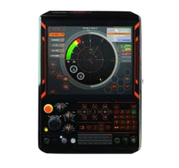
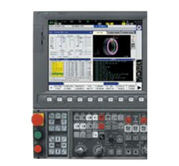
The Connective Process of Bringing Real-Time Shop Floor Data Together
Hardware and software alone do not deliver results, but proper implementation and support does. SFA's U.S.-based team provides end-to-end services that ensure your data collection system is configured correctly, validated thoroughly and supported continuously.

Shop Floor Assessment
The expert team of Shop Floor Automations reviews your machine inventory, control types, network infrastructure, existing systems and operational goals
Solution scoping and architecture
A thorough hardware selection, connectivity approach, deployment model (cloud or on-premise) and integration plan is delivered to meet the needs of your facility.
Hardware deployment and validation
An SFA technician conducts a physical installation, network configuration and data integrity testing for all connectivity hardware.
Software configuration
Machines are set up, along with dashboard and report configurations, ERP/MES integration and role-based access setup
TRAINING AND USER ADOPTION
SFA provides operator and administrator training to help your team confidently use dashboards, reports and machine monitoring tools.
U.S.-BASED TECHNICAL SUPPORT
Receive ongoing assistance for troubleshooting, updates, system expansion and long-term optimization.
ERP / MES INTEGRATION
Production data can be integrated with ERP, MES and business systems to improve workflow automation and visibility.
DATA VALIDATION AND OPTIMIZATION
Collected machine data is reviewed and validated to help ensure accurate reporting and meaningful production insights.
Shop Floor Assessment
The expert team of Shop Floor Automations reviews your machine inventory, control types, network infrastructure, existing systems and operational goals
Solution scoping and architecture
A thorough hardware selection, connectivity approach, deployment model (cloud or on-premise) and integration plan is delivered to meet the needs of your facility.
Hardware deployment and validation
An SFA technician conducts a physical installation, network configuration and data integrity testing for all connectivity hardware.
Software configuration
Machines are set up, along with dashboard and report configurations, ERP/MES integration and role-based access setup
TRAINING AND USER ADOPTION
SFA provides operator and administrator training to help your team confidently use dashboards, reports and machine monitoring tools.
U.S.-BASED TECHNICAL SUPPORT
Receive ongoing assistance for troubleshooting, updates, system expansion and long-term optimization.
ERP / MES INTEGRATION
Production data can be integrated with ERP, MES and business systems to improve workflow automation and visibility.
DATA VALIDATION AND OPTIMIZATION
Collected machine data is reviewed and validated to help ensure accurate reporting and meaningful production insights.
Frequently Asked Questions
How Machines Communicate: Understanding the Protocols That Power Data Collection
Before a machine’s data can appear on a dashboard, it needs a way to get there. That journey begins with a communication protocol: the language that defines how a machine expresses its status, and how software listens to it. Understanding the major protocols in use today helps manufacturers make smarter decisions about connectivity hardware, software compatibility and long-term flexibility.
Shop Floor Automations works across all of these protocols to help you choose, configure and deploy the right combination for your specific machines, IT requirements and environment.
Which Machines Support MTConnect?
MTConnect is natively supported by most modern CNC controls from major manufacturers including Mazak, DMG Mori, Okuma, Makino, Hurco and others. Machines with older or proprietary controls, such as legacy Fanuc, Siemens, Mitsubishi or Heidenhain controls, can be connected via MTConnect adapters: hardware or software shims that translate the machine’s native output into MTConnect-compliant data streams.
Shop Floor Automations supplies, configures and deploys MTConnect adapters for a wide range of legacy controls, allowing manufacturers to achieve standardized data collection across both new and legacy equipment without replacing functional machines.
MTConnect Is Read-Only - Is That a Limitation?
MTConnect is intentionally read-only, meaning software can listen to machine data but cannot send commands back to the machine through the MTConnect interface. For machine monitoring and OEE purposes, this is not a limitation but a security feature. The read-only nature ensures that monitoring software cannot inadvertently affect machine operation. For applications that require bidirectional communication, such as sending CNC programs to a machine, other protocols or dedicated DNC connections handle that function alongside MTConnect monitoring.
How Does OPC-UA Differ from MTConnect?
The two protocols are complementary rather than competitive, and each has a distinct role:
- MTConnect is specific to manufacturing equipment, read-only and optimized for collecting structured machine tool data in a consistent semantic format. It is the right choice when the primary goal is machine monitoring and OEE data collection from CNC machines.
- OPC-UA is a broader industrial communication framework, supports bidirectional communication and is used across a wider range of devices including PLCs, SCADA systems, robotics, process equipment and enterprise software. It is the right choice when the integration requirement goes beyond machine monitoring, such as feeding data to MES, ERP or cloud analytics platforms, or when control-level write access is required.
In practice, many modern manufacturing environments use both: MTConnect for standardized machine tool monitoring and OPC-UA as the integration backbone connecting shop floor data to higher-level systems.
Modbus: Connecting Legacy Equipment and Discrete Signals
What Is Modbus?
Modbus is a serial communication protocol originally developed by Modicon (now Schneider Electric) in 1979. Despite its age, it remains one of the most widely deployed industrial communication protocols in the world, primarily because of its simplicity, robustness and the sheer volume of devices that still use it. Modbus operates TCP (over Ethernet) commonly in modern deployments.
Modbus in the Context of a Mixed-Protocol Shop Floor
In a typical mixed-equipment manufacturing environment, Modbus, MTConnect and OPC-UA often coexist. Newer CNC machines communicate via MTConnect or OPC-UA, while legacy machines, PLCs and sensors communicate via Modbus. Shop Floor Automations designs and implements connectivity architectures that bring all of these data streams together into a single monitoring platform to ensure that every asset on your floor, regardless of age or control type, contributes to your production visibility.
MTConnect: The Open Standard for Machine Tool Communication
What Is MTConnect?
MTConnect (ANSI/MTC1.4-2018) is an open, royalty-free communication standard developed specifically for manufacturing equipment. Introduced in 2008 and maintained by the Association for Manufacturing Technology (AMT), it defines a structured, standardized data model and a read-only streaming protocol that allows CNC machines, robots and other shop floor equipment to share data with software applications in a consistent, machine-agnostic format.
As a common vocabulary, MTConnect defines shared element names like Execution, Program, PathFeedrate, SpindleSpeed and Alarm across device manufacturers. Software that speaks MTConnect can read from any compliant machine without needing a brand-specific adapter.
What Data Does MTConnect Capture?
MTConnect can capture a broad range of machine data depending on the control’s capabilities and the adapter configuration, including:
- Machine execution state (Active, Stopped, Interrupted, Feed Hold)
- Controller mode (Automatic, Manual, MDI)
- Active program name and block number
- Spindle speed and load
- Path feed rate and feed rate override
- Axis positions
- Part count and tool data (where available)
- Alarm and fault codes
OPC-UA: The Industrial Communication Framework for Broader Integration
What Is OPC-UA?
OPC Unified Architecture (OPC-UA) is a platform-independent, service-oriented communication framework developed by the OPC Foundation for industrial automation and manufacturing. Unlike MTConnect, which is specific to machine tools and read-only, OPC-UA is a general-purpose industrial communication standard that supports bidirectional data exchange between a wide range of devices, systems and applications.
OPC-UA operates on a client-server or publish-subscribe model, where an OPC-UA server exposes data nodes, like variables, objects, methods and events, that clients can read, write, subscribe to or call. It includes built-in security mechanisms including encryption, authentication and certificate-based access control, making it well-suited for aerospace, defense and enterprise-level deployments where data security matters.
What Equipment Uses OPC-UA on the Shop Floor?
OPC-UA support is increasingly native on modern CNC controls (including Siemens SINUMERIK 840D, Heidenhain TNC 7), industrial PLCs (Siemens S7, Allen-Bradley/Rockwell PLCs via companion specifications), collaborative and industrial robots and smart sensors and edge devices. SFA can assess your machine inventory for OPC-UA readiness and deploy OPC-UA gateway hardware where native support is not available.
What Modbus Captures, and What It Doesn't
Modbus is fundamentally a register-based protocol: it reads and writes values in predefined memory registers on a device. This makes it powerful for capturing numeric values like spindle RPM, temperature, position, counts and discrete states, such as on/off, open/closed and fault/normal. What Modbus does not provide on its own is semantic context: a Modbus register value of “1” in register 40003 only means something if you know what that machine’s manufacturer mapped to that address. SFA’s implementation work includes mapping register addresses to meaningful data points in the monitoring software, transforming raw register reads into labeled, actionable events.
Can Shop Floor Automations connect legacy machines that don't support modern protocols?
Yes. Connecting legacy machines is one of SFA’s core specialties. Older controls with RS-232 serial ports, parallel I/O outputs or basic relay signals can be connected using serial-to-Ethernet converters, I/O capture modules and Modbus-based hardware. This allows machines with no native MTConnect or OPC-UA support to transmit cycle status, spindle state and other data to Scytec DataXchange or Predator MDC, delivering unified production visibility across both new and legacy equipment.
What our customers say