Skip to Content
Exit

Author Archives: Greg Mercurio

  1. CNC Revision Control

    Comments Off on CNC Revision Control

    CNC Revision Control is overlooked on the shop floor. Raw material and time are wasted when old programs run at machines.
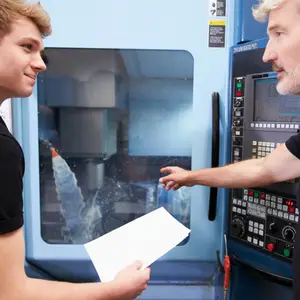
    CNC Revision Control“Revision control is the management of modifications done to software applications, sites, documents or any set of information,”

    This definition is from Techopedia. Benefits of this concept include better record keeping, performance analysis, collaboration, and more.

    Modern Machine Shop columnist Wayne Chaneski says evaluating shop floor programs is crucial for success.

    “It is hard to know if a process needs to be fixed if it is not being followed as intended…valid processes that have veered off course may require additional employee training or better communication of expectations.”

    So what is a huge issue to resolve, according to Chaneski? “Instances of different computer numerical control (CNC) programs for the same part with the same revision code.”
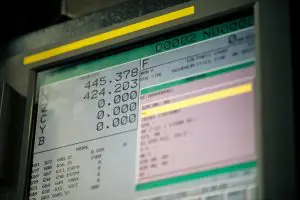
    cnc drip feedBefore retiring from Buck Knives, Shop Floor Automations customer Lee said this was a daily battle. Because of issues with programs, it was a productivity roadblock.

    “We had programs pretty much stored everywhere,” he said. “What we needed to do was lock down the programs,” Lee stated. Buck Knives resolved their issues, and they weren’t alone.

    “We were trying to control over 8000 programs, revision levels, and updates,” says Wayne of Carrol Machine.

    Revision control helps the shop minimize the time and mistakes of manual program management. Revision control also allows for grabbing programs from the right directories.

    Ready to start the conversation about your manufacturing equipment? Call (877) 611-5825 or fill out a contact form today! 
  2. Legacy Blog – Edition XVI

    Comments Off on Legacy Blog – Edition XVI

    shop floor automations blogHere are some SFA pieces of product news and MFG Day coverage. Manufacturing Tomorrow especially shared a few of our pieces.

    For product news, we thank Manufacturing Tomorrow for covering the news of our latest hardware release, the LAN-USB Connect, which adds USB and ethernet abilities to your machine. MFG Talk Radio also published this piece from us – a top 3 reasons list of why moldmakers need to embrace the IIoT.

    Moldmaking Technology also published an article talking about how machine data collection software helps combat downtime.

    Finally, it’s never too early to start talking about MFG Day (also known as “manufacturing day”). Fabricating and Metalworking shared our piece last year on shaping the Made in America movement, where we highlighted three organizations helping to make manufacturing great again.

    Our newest article from Manufacturing Tomorrow on this holiday highlights three manufacturing companies SFA has worked with and how they are helping to close the skills gap.

    SFA has been helping manufacturing companies increase productivity for 20 years now. Call us at (877) 611-5825 or fill out a contact form!

  3. The Benefits of a Wireless Shop Floor

    Comments Off on The Benefits of a Wireless Shop Floor

    A Wireless Connect device accompanied by floating shots of 3 various CNC machines and the wi-fi symbol.Manufacturing technology changes each day. Companies want more innovative ways to increase productivity through machine automation. A wireless shop floor is one avenue to pursue.

    Customers who have issues with floppy disks or inferior cabling are a big wireless demographic. This was what brought Stollen Machine of New Jersey to SFA.

    Stollen invested in six wireless hardware devices from SFA to help to replace an old cabling system. A case study done with the customers found that they were able to get back 15% more time daily.

    Sometimes, innovation is not the reason for the switch. Unexpected events can turn customers to industrial automation.

    In Modern Machine Shop, editor Stephanie Hendrixson shares the story of a manufacturer in 2005 that went wireless. A lightning strike destroyed their CNC machine circuit boards. This lead to an upsetting amount of downtime and lost profit.

    “At the time of print, [the manufacturer] reported no problems with downloading numerical control (NC) programs wirelessly thanks to an error-checking protocol,” the article states.

    “Download speeds were adequate for its needs,” Hendrixson writes. “Data encryption and other security measures kept NC programs safe from interception and [the] corporate network safe from attack.”

    Here are some reviews from SFA customers who have gone wireless:

    “My favorite features from the changes implemented are process control, process security, and enhanced availability of knowledge base information. Total cost was also very affordable.” – James, Amarillo Gear

    “Wireless DNC has been fantastic for our production. We went from losing the wired system to [choosing] a wireless system, and it actually works very well.” – George at Gyford Production Standoff Systems

    Whether an emergency prompts it, or a shop floor has the liberty to try new means to improve their manufacturing process, going wireless is an amazing investment. Want to know more? Call (877) 611-5825, or send us a message. 

  4. Legacy Blog – Edition XV

    Comments Off on Legacy Blog – Edition XV

    shop floor automations blogIn this Legacy Blog, Shop Floor Automations thanks these digital publications for sharing our recent news about DNC software, machine monitoring, hardware, and more:

    Manufacturing Tomorrow posted a piece we wrote about return on investment (ROI) for shop floor automation solutions. “A great example of actually showing your ROI comes from one of our customers who had an ROI sheet showing that their company had 30 machines, they ran two programs per day, and they loaded 300 programs per week…they then showed how expensive this older process was where they were using outdated shop floor media to transfer programs and estimated how much time/money would be saved by upgrading to DNC.”

    MFG Talk Radio published quite a few of our pieces lately. They shared news of our new technology, the LAN-USB Connect. They also shared a piece where we shared with manufacturers how to approach decision makers with ways to prove automation ROI.

    FabShop Magazine hosted SFA in the MFG ETC section once again. OSHA’s Top 10 safety violations in 2017 that apply to the shop floor were explored and how some automation solutions can help address some of these issues for 2018 onward.

    In a throwback, Manufacturing Engineering published a blog about managing and collecting shop floor machine data. Within this piece, SFA owner Greg Mercurio was interviewed.

    For our latest appearances in manufacturing trade magazines, check out our press page. Otherwise, we would love to start the conversation with you about automation! Call (877) 611-5825 or fill out a contact form.  

  5. BobCAD-CAM & Shop Floor Automations

    Comments Off on BobCAD-CAM & Shop Floor Automations

    Thanks for checking out how Shop Floor Automations Integrates with BobCAD-CAM

    BobCAD-CAM & Shop Floor Automations

    Welcome to Shop Floor Automations! We provide hardware and software solutions that can be fully integrated with BobCAD-CAM Software.

    We provide the tools needed to get the most out of your software and to “bridge” the gap between support and solutions.

    Learn more about some specific solutions below or start shopping! You may also call (877) 611-5825

    Scroll before to see our discount code for Hardware solutions, and feel free to call us for other discounts and promotions.

    Thanks to Michael at BOBCAD for the photo above!


    📶


    WIRELESS TO SERIAL FOR ANY CNC

    • No cable to purchase & run
    • Move or add machines easily
    • Higher baud rates
    • Secure & reliable
    • Works on Ethernet & Serial CNC’s

    🔀


    ETHERNET TO SERIAL FOR ANY CNC

    • Connect by network cabling
    • Simple to configure
    • Eliminate long RS232 Serial runs
    • Available 1, 2, 4, 8 & 16 ports
    • Serial Port to Cable for any CNC
    • Transfer files directly from your computer to CNC’s

    💾


    ADD USB MEMORY TO ANY CNC

    • Load & save files on USB
    • Portable or Pendant
    • 1GB USB drive included
    • Installs in minutes
    • We also offer a Floppy Drive Emulator

    🏷️


    DISCOUNT ON HARDWARE

    To receive a discount on all hardware, use the coupon code
    “bobcad01”.

    🖥️


    CNC EDITOR SOFTWARE

    • Upgrade to Predator CNC Editor to get more features
    • Communicate with up to 32 machines instead of 8
    • File Compare, Fine Files & Backplot Capabilities
    • Unlimited File Size & Full Support

    💬

    TECHNICAL SUPPORT

    • Support for Predator CNC Editor(not for BobCAD)
    • Remote Support & Onsite Services available for a fee
    • SFA Hardware & Software support
    • We offer personalized Support plans! call (877) 611-5825 for more info

    More about BobCAD-CAM:

    Since 1985, BobCAD-CAM has been providing CNC programming CAD-CAM software to manufacturers. Their purpose is to help effectively automate the machining process with easy-to-use and powerful software. Get CNC programming solutions for Mills, Mill-Turns, Lathes, Routers, Plasmas, Lasers, WaterJets, and Wire EDM machines. BobCAD-CAM integrates CAD and CAM functionality in a single interface, making the design process to toolpath programming, as well as simulation and g-code processing, seamless. Concept to finished product is achieved in less time with less aggravation.

    Get BobCAD-CAM:

  6. May 2018 Shop Floor Automations Newsletter

    Comments Off on May 2018 Shop Floor Automations Newsletter

    The following is an archived copy of our May 2018 newsletter sent May 22nd. Subscribed, but not receiving newsletters? Get more info on this page!

    Shop Floor Automations NewsletterDoes getting your shop floor paperless, organized, ready for an audit, and functioning sound impossible? Trust us. It’s not.
    The Predator Software Suite contains a solution called PDM, or Production Data Management. You can use PDM to organize programs, safety procedures (such as lockout/tagout and other OSHA standards), setup sheets, quality documents, and more. Use PDM to help obtain revision control, as well as to finally go paperless.

    Every department can find a benefit from PDM. Whether they work in engineering, programming, or quality – everyone on the shop floor has a reason for document control. Especially when auditors will be checking if you have management and sign-offs for your processes and files, this solution is especially crucial.

    PDM will integrate with other pieces of the Predator Software Suite, such as DNC (CNC networking software), CNC Editor, MDC (Machine Data Collection), and Tool Tracker. It will also integrate with ERP and MES software systems.

    Seeking out CAD/CAM software for your growing manufacturing operation? Especially one that can integrate with our solutions?

    BOBCAD is a CAD/CAM company we have been working with for quite a few years. Especially since it integrates with some of our most popular solutions, such as DNC software, machine monitoring software, and our USB Connect hardware. Yes, it will even integrate with the PDM software mentioned above!

    Shop Floor Automations is the number one reseller/integrator of Predator Software. Call (877) 611-5825 for a quote and more information. Link to original newsletter

  7. How to use DataXchange

    Comments Off on How to use DataXchange

    how to use dataxchangePicking up a new software system can be challenging.  DataXchange makes the process easy with lots of resources.
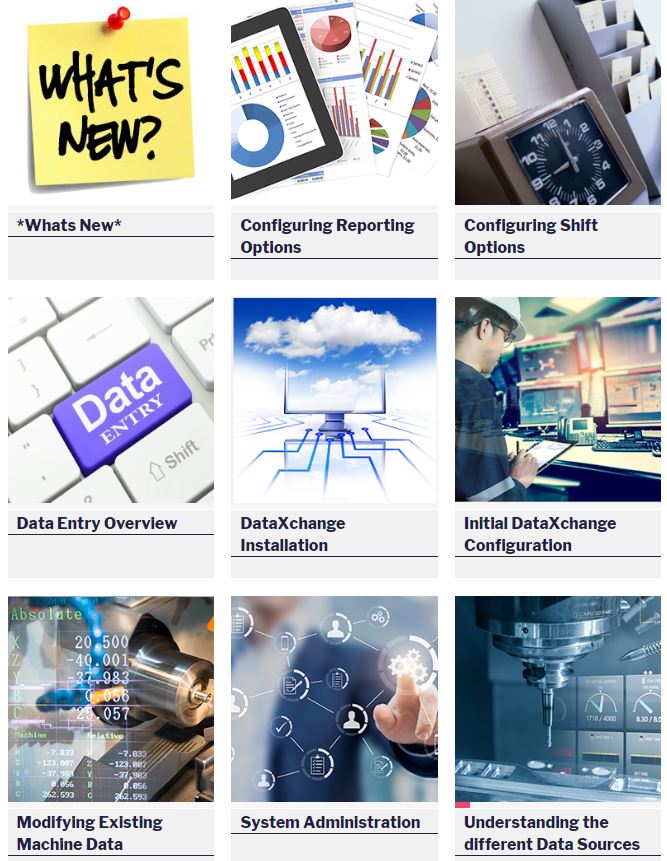
    DataXchange machine monitoring software is a solution for manufacturing companies. The benefits are decreases in downtime, increasing machine capacity, and real-time notifications of machine issues.

    Machinists can enter notes if material is needed or lockout/tagout occurs. Shop floor managers can also be notified of unplanned downtime.

    Here are the top resources on how to learn to use this machine monitoring software system:

    1) Videos & FAQs – Use quick videos on how to use specific parts of the software system. Look at how to use the data entry screen or how to use the modified time stamp. If you have specific questions, it has also likely be answered in our FAQ section focused on DataXchange.

    2) DataXchange E-Learning – 12 months of access to video courses on every aspect of DataXchange. This is the best option for beginners, or if you want to train someone else to use it.

    The courses cover the topics of installation, equipment/reporting groups, schedule reports, shifts/shift assignments, modifying machine data, MTConnect, Fanuc FOCAS, specific troubleshooting, configuration, and more. Each section has a quiz and the courses can be revisited for a refresher.

    Request info on DataXchange E-Learning

    3) Schedule a Webinar/Demo – Be part of a DataXchange webinar, or request a software demo. This is the best way to ask specific product questions and get a taste if this software is correct for you.

    We encourage you to get in touch with us by calling (877) 611-5825 or schedule a demo/webinar above.

    Shop Floor Automations is the #1 reseller of DataXchange and we are always happy to have a conversation about the machine monitoring system!

  8. Shop Floor Automations Newsletter – March/April 2018

    Comments Off on Shop Floor Automations Newsletter – March/April 2018

    Shop Floor Automations NewsletterThis archived issue of the Shop Floor Automations newsletter was first sent to subscribers April 24th of 2018. A brand new way to modernize your RS232 port is featured.

    A Place to Belong

    There are quite a few organizations out there who are working to close the manufacturing skills gap. They are also teaching a trade to those who not only need the guidance but the steady career path that manufacturing provides.

    Shop Floor Automations (SFA) wanted to share with our audience a local organization called Rise Up Industries.

    Trainees of the program become machine operators by trade. They are also taught to overcome obstacles from their past to become productive members of society through various life skills classes.

    Their motto is “a place to belong” and we were very touched by our visit to their shop recently. We invite you to check out what they are doing over in Santee, CA!

    LAN-USB Connect

    You have heard it from us before – you can add USB to your CNC of any make, model, and age. You may have also heard we can add Ethernet to your machines. Why not both?

    We present to you the LAN-USB Connect. This hardware packs a one-two punch. It’s easy to install, as it connects to your machine’s RS232 port. You can drag and drop files from, and to, your CNC machine memory. Use the Ethernet connection via FTP, and best of all, no special software is required to install and use the device!

    For more information, please call (877) 611-5825 or fill out our contact form.

  9. Funny CNC Control Photos

    Comments Off on Funny CNC Control Photos
    cnc control

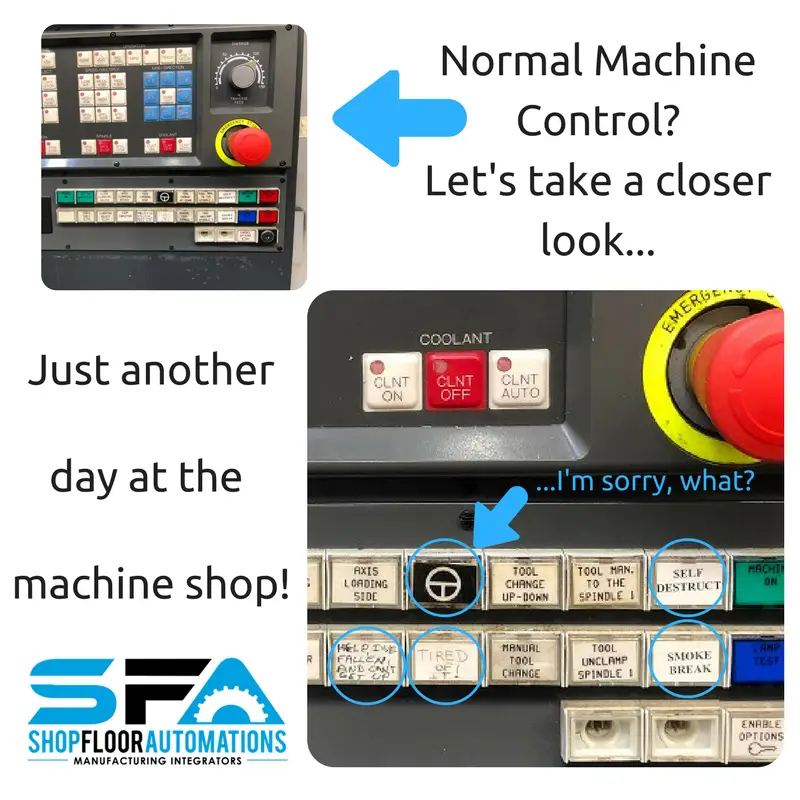
    Click the photo to see the full detail of these hilarious CNC control operator buttons!

    Everyone works differently on the shop floor. Some machinists use sticky notes, or custom stickers on machines, other use full sheets of paper to leave notes, and there are others who embed reminders in their coding. That being said, here are some funny CNC control photos we have seen over the years!

    SFA has serviced all manner of manufacturers over the years. We have helped increase productivity for CNC machinists, fabricators, moldmakers – you name it! We are also fascinated with the #instamachinist movement on Instagram. Read more below!

    (more…)