
Posts

DNC hardware device setup

Cybersecurity, Downtime and What You Can Do About It

In Part 1, we covered how the rush to install low-cost DNC program transfer devices can create real electrical hazards and safety risks on the shop floor. But the threats don’t stop there. When improperly installed, these devices can also expose your systems to cyberattacks, data corruption and expensive production downtime.


Let’s break down the next two hidden dangers.


Danger #2: Cybersecurity Vulnerabilities

“Attacks against Ethernet ports,” writes Lee Neitzel and Gabe Faifman in the International Society of Automation (ISA) blog, “usually try to exhaust buffer space or processing capabilities of the network interface card or its associated communications software. These attacks may be intentional or unintentional, such as a network storms or network scans that are configured to run too rapidly.”


RS232 Port on CNC for DNC hardware setup

RS232 ports, like the one shown, can provide a “back door” into CNCs for malware or errors that result in incorrect part programs, parameter tampering or hidden logic bombs in G-code.

Shops that lack robust network policies are especially vulnerable. Older machines rarely include built-in security features, and many manufacturers fail to control or disable unused Ethernet ports. Without monitoring, malware can move from the enterprise network to shop floor devices, corrupt G-code, or give unauthorized users access to machine controls. And when operators aren’t trained or processes aren’t standardized, those risks only grow.


Danger #3: Downtime, Lost Programs and Productivity Setbacks

Ironically, installing DNC hardware devices to increase efficiency often leads to lost time when best practices are skipped. Common causes of these failures include devices not being correctly configured to match the CNC machine’s baud rate or parity settings, lack of durability under real-world shop conditions (such as exposure to high temperatures, dust or coolant mist) and insufficient operator training in file handling and transfer protocols.


Additionally, when IT and engineering teams are excluded from the DNC hardware setup process, there is often no oversight of whether best practices or internal standards are being followed. As a result, basic oversights, such as misnamed files, unsupported transfer formats or missed firmware updates, can halt production, require rework or damage tools and fixtures. Such errors may seem minor, but over time, the accumulation of these setbacks erodes efficiency and morale. The good news is that these are entirely avoidable issues if the device implementation is approached as a strategic investment, rather than a quick fix.

CNC program hardware transfer device installation

For manufacturing IT and operations leaders, ensuring that DNC hardware is installed safely, securely and professionally is not just about keeping machines running – it’s about protecting your people, data and bottom line.

Planning for Protection and Security

The key to mitigating these risks lies in treating DNC system hardware setups with the same level of rigor applied to any other industrial system. This begins with investing in industrial-grade hardware designed specifically for use with CNC equipment. Devices should include features like electrostatic discharge (ESD) protection, high-durability enclosures and shielded cabling. Choosing cheap or consumer-grade components may save money upfront, but the long-term risks and performance issues quickly outweigh the benefits.


Older machines rarely include built-in security features, and many manufacturers fail to control or disable unused Ethernet ports. Without monitoring, malware can move from the enterprise network to shop floor devices, corrupt G-code, or give unauthorized users access to machine controls.


Equally important is the involvement of cross-functional teams in the planning and deployment process. Projects that include IT, operations, maintenance and safety stakeholders tend to yield better outcomes because each discipline brings unique expertise – whether it’s ensuring cable routing complies with OSHA 1910.305, planning for device accessibility during routine service or ensuring sufficient clearance and ventilation. When teams collaborate, they create an environment where both technical and frontline personnel understand correct usage, maintenance protocols and early warning signs of trouble.


From a cybersecurity perspective, “devices should be required to pass a recognized communication robustness certification, such as Achilles Communication Certification,” recommends Neitzel and Faifman. “These certifications use a battery of tests to verify that network ports and their communications software have been implemented to withstand high traffic rates and malformed packets.”


Physical security also matters. DNC file transfer hardware should be mounted in tamper-proof, vibration-resistant locations with clear labeling to assist in troubleshooting and maintenance. Cable runs should be managed to avoid strain, tangling or obstruction of moving machine parts. These details may seem minor, but together they form a strong foundation for safe, stable and compliant CNC integration.


CNC program transfer processes can streamline operations, but only if implemented with the same care applied to the machines themselves. For manufacturing IT and operations leaders, ensuring that hardware is installed safely, securely and professionally is not just about keeping machines running – it’s about protecting your people, data and bottom line.


Assess Your DNC Hardware Setup Today

Talk to a manufacturing integrator technician or request an audit of your current DNC hardware setup to ensure you’re not putting your operations at risk by contacting Shop Floor Automations today. The convenience of DNC hardware devices should never come at the expense of your people, your data or your productivity.

Ethernet CNC connectivity

Over the years, Windows-based CNC machines, robots, CMMs, test stands and other manufacturing equipment have proven popular, largely due to their Ethernet-based networking using the corporate network. But as Windows operating systems (OS) reach the end of their lifecycle, Microsoft technical assistance, software updates or security fixes no longer become available. The options, then, for manufacturers needing Ethernet CNC file transfers and running CNCs with Windows 2000, 2003 or older OS are limited: upgrading to a newer Windows OS can be cost prohibitive and involve a lack of support from the equipment manufacturer; or there’s no upgrade path available, thereby necessitating that the whole machine be replaced. 

The IT Imperative

To protect manufacturers from security risks associated with OS lifecycle completions, IT departments have led the initiative to remove older Windows OSs from corporate domains and discontinue support, while eliminating the use of FTP or Windows shares on untrusted VLANs altogether. This movement often relegates manufacturing operations to isolate a PC from the corporate network and go back to manually loading files through portable media – which presents its own set of security risks. TechAdvisory.org reports that 25 percent of malware is spread today through USB devices. Even the United States Computer Emergency Readiness Team (US-CERT) recommends banning portable media devices from the workplace. And for manufacturers subject to CMMC 2.0, the continued use of removeable media devices may involve severe restrictions or nonacceptance altogether.

Manufacturers needing Ethernet CNC file transfers and running CNCs on older Windows operating systems have limited, cost-efficient options. 

All of this leads to a collision course of lost productivity for the shop floor and some major challenges for IT, as programmers struggle to minimize time spent physically transferring files to equipment and maintain accurate version control and IT strives to minimize risk. The good news is that there are other Ethernet CNC file transfer options available than the common scenario above.
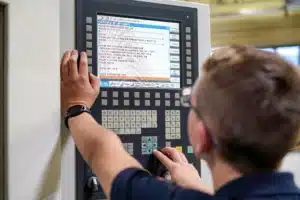
Ethernet CNC file transfers

CNC machines running on outdated operating systems lead to a collision course of lost productivity for the shop floor, as programmers struggle to minimize time spent physically transferring files to equipment and maintain accurate version control, and some major challenges for IT as it strives to minimize risk.

Fortified Ethernet Connectivity

A modern DNC networking system, for one, allows manufacturers to still take advantage of Windows 95 and newer OS, Ethernet as well as your existing network infrastructure, all while removing them from your corporate domain and eliminating the use of FTP, unsecure USB, Windows Administrator access and more. This secure version of DNC software, like Predator Secure DNC software, still enables you to transfer your CNC programs, CNC variables, offsets, parameters, PLC registers and other production data to and from your manufacturing equipment – but adds a layer of security with automatic authentication, encryption and data compression.

Machine tools with an RS232 connection, or those with an option for it, can be connected to Predator Secure DNC to avoid connectivity risks. You’ll need knowledge of your CNC machine’s communication parameters, including baud rate, data bits, stop bits and parity settings or the network connection, such as FTP, FileShare, etc. Consult with an expert manufacturing integrator to explore any other prerequisites to connect your CNC machines through a next-generation DNC networking system.