

When Machines Can’t Meet the Network Rules
The “significant security vulnerabilities” of SMBv1 that Microsoft warns of, which have exposed companies to crippling ransomware attacks like the infamous NotPetya, are often the same legacy protocol that can still be found on some CNC controllers today.
“The original SMB1 protocol is nearly 30 years old, and like much of the software made in the 80’s, it was designed for a world that no longer exists. A world without malicious actors, without vast sets of important data, without near-universal computer usage.” — Ned Pyle
But there’s not necessarily a simple fix for manufacturers. Remove SMBv1, acknowledges the software giant, and you can break compatibility with older equipment and software. You could try to isolate vulnerable systems or use port blocking and other compensating controls to reduce exposure. Or you can continue to run SMBv1, exposing your shop, and potentially your value chain, to cyberattacks, debilitating downtime, exorbitant costs and the loss of customer trust.
The challenge with machinery running SMBv1 is to preserve the communication it needs for production while creating a controlled connection that limits unnecessary network access and exposure.
Each approach addresses part of the problem, but none necessarily addresses the fundamental production challenge: How do you keep productive legacy equipment connected without leaving the door open to the network threats it was never designed to withstand?
For manufacturers, the answer may not be replacing the machine, patching around the problem, adding layers of microsegmentation and isolation or simply accepting the risk. It may be finding a more controlled way to connect it.
A Familiar Standoff
That’s the tension manufacturers live with every day, even without a headline-making cyberattack to force the issue.
On one side, IT and cybersecurity teams are accountable for reducing exposure. They see an outdated protocol as a potential entry point, particularly when a machine sits on a network that also touches business systems, suppliers or other production assets.
IT teams need visibility into what your aging equipment communicates, with which systems, over which protocols and ports and in which direction, including the files, applications or services required for production.
On the other hand, operations sees a machine that needs to run. That CNC may be producing parts that customers are waiting for, tied to a validated process or simply too costly and disruptive to replace. Engineering knows the controller’s limitations, the tooling is dialed in and the process works.
Neither side is wrong.
That’s where the discussion needs to move beyond “turn it off” or “leave it alone,” to whether manufacturers can separate the equipment’s production requirements from the network exposure that comes with its legacy technology.
The Architecture to Accommodate Both
Production and IT teams should have a shared understanding of what the aging machine actually needs to communicate in order to find a way to give it that connection without opening the rest of the network to unnecessary exposure.
NIST’s OT security guidance takes a similar approach. Its recommendations recognize that manufacturing systems have different performance, reliability and safety requirements than traditional IT environments, while calling for network segmentation and controlled boundaries between systems to limit access and manage data flows.
That means teams should start with the equipment rather than the protocol by taking these steps to help plan out the process:
- What actually depends on SMBv1? Identify the machine(s), controller(s) or application(s) and understand why it/they need the legacy protocol.
- What needs to move and where? Map the CNC programs or other production data, their source and destination and the path they currently take across the network.
- What can be separated? Use segmentation, firewalls, access controls or other compensating controls to restrict the legacy equipment’s exposure without disrupting the production process.
- Can the connection itself be changed? Rather than relying on Windows shares or SMB to move CNC programs, a purpose-built DNC connection can provide a controlled path for transferring production files to and from equipment. Predator Secure DNC, for example, is designed to transfer files to CNC equipment through firewalls while eliminating dependencies on corporate domains, workgroups and Windows file shares.
- What is the long-term plan? Document the exception, the controls around it and the conditions that would eventually trigger an equipment or controller upgrade.
Production needs a clear understanding of what data the machine needs to send and receive, with which systems and for what production purpose, in order to assist IT in designing connectivity around those essential requirements while limiting unnecessary network exposure.
A Different Way to Connect
In the quest to minimize security vulnerabilities, the goal isn’t necessarily to make a legacy machine conform to a network architecture it was never designed for. The goal is to understand what the machine needs to do its job and then design the connection around those requirements.
That could mean segmentation at the network level, tightly-controlled firewall rules, isolation of particularly vulnerable equipment and other compensating controls. In some environments, it may also mean replacing a legacy Windows file-sharing dependency with a purpose-built DNC connection.
A solution like Predator Secure DNC can be part of that approach, providing a controlled path for CNC program transfers without relying on corporate domains, workgroups or Windows shares. But software alone doesn’t solve the problem. The right architecture depends on the machines, controllers, network environment and production requirements already in place.
Shop Floor Automations, as a manufacturing integrator, brings together the equipment, connectivity hardware, software and implementation expertise needed to work through that gap. SFA assesses the existing machine and network environment, identifies the communication requirements, helps design the connectivity architecture, deploys the appropriate hardware and software and validates the result with the teams responsible for IT, engineering and production.
The result can mean fewer exceptions to manage and a known production process that keeps reliable machines running. It also creates something more valuable than a workaround: a practical path toward a more secure shop floor without treating every aging machine as a replacement project or major IT burden.
If you’re looking to connect aging and/or vulnerable equipment without creating a new IT problem, talk with an SFA manufacturing integration expert today.
Is Your Real-Time Shop Floor Data…Real?
Second or third shifts can start like any other: CNCs spin under the watchful glow of monitors, operators move between machines and production looks steady. But in the morning meeting, that’s when staff may start getting curious about dashboard results.
“According to this,” you may say, “half our machines were idle for three hours last night. But they weren’t.”
IT may even have investigated, noting that sensors said they weren’t in cycle. But they were changing tools, running checks and making chips again within two minutes – it just logged all that as downtime.
If you’ve experienced this oddity, despite investing in machine monitoring software, you may find yourself buried in notifications that don’t mean anything and cycle time reports you can’t trust. Your operators will learn (if they haven’t already) quickly to ignore the alerts. The data no longer reflects reality, and worse – now decisions can’t be based on it.
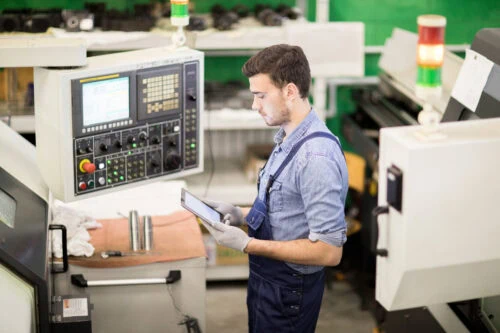
When monitoring alerts don’t match what’s happening on the floor, operators learn to stop responding to them. This is a pattern known as alert fatigue.
Real-time Does Not Automatically = Reliable
Manufacturers have more access to production data than ever. Machine monitoring, MES platforms, OEE dashboards and connected equipment can provide a near-continuous stream of information about machine status, production activity and performance.
But there is an important distinction between data that is collected in real time and data that accurately represents what happened on the shop floor. Having more data does not necessarily mean having better information.
The National Institute of Standards and Technology (NIST) has identified trustworthy data, traceability and effective data governance as important foundations for smart manufacturing. After all, if you can’t trust what the machines are telling you, how do you plan the next job – or even know what’s holding you back?
“If you don’t track the right stats, you don’t know what to practice tomorrow.
You’re counting the wrong swings.”
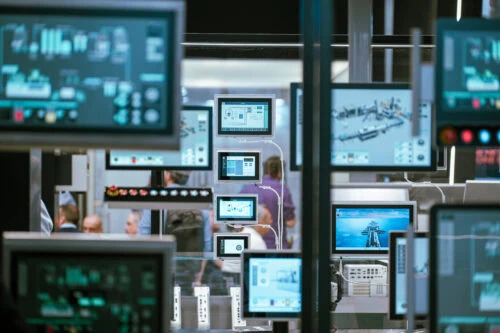
Manufacturers are collecting more data than ever, yet more dashboards don’t guarantee better decisions.
Three Questions to Vet Your CNC Data Reliability
Before investing in another system, dashboard or AI automation, consider asking:
- Does the data reflect what actually happened?
Compare system-generated machine states with what operators, supervisors and maintenance teams know occurred. - Do you know where the data came from?
You should be able to consistently identify the source of a metric and understand how it was transformed before it reached the dashboard for true CNC data reliability. - Can your team act on it?
A dashboard filled with real-time numbers is not automatically useful. The data should help people identify a loss, understand its cause and decide what to do next.
Turning Machine Data into Meaning
This where an expert manufacturing integrator, like Shop Floor Automations (SFA), serves as a vital partner to your company. With a lengthy background in connecting and modernizing complex machine environments, an experienced integrator will often start CNC data reliability investigations with a blunt question, such as: What does “in cycle” mean to you?
“In cycle,” may not just mean cutting – but tool changes, probing, chip clearance. Your current system, or its configuration, may only recognize power as “on” or “off,” without any shades of gray. A solution such as DataXchange changes that potential. DataXchange, an equipment monitoring and OEE solution from Minitab, provides native flexibility to define exactly what “active” can mean per machine, per process. By collaborating with SFA consulting teams, those definitions can be brought to life to tie real-time machine signals to business context in a single, accurate view.
The results, then, can follow fast: true cycle times, accurate downtime reasons and alerts that actually matter. Maintenance should be able to spot recurring bearing issues before failure. Production should be able to track spindle utilization correctly. And management should sit with confidence, showing data that reflects what is actually happening.
Greg Mercurio, president of SFA, likens the issue to baseball. “If you don’t track the right stats, you don’t know what to practice tomorrow. You’re counting the wrong swings,” says Mercurio. The lesson becomes clear: not all real-time data is real. Trust begins with the right definitions, and with the right partners to turn those definitions into decision-making power.
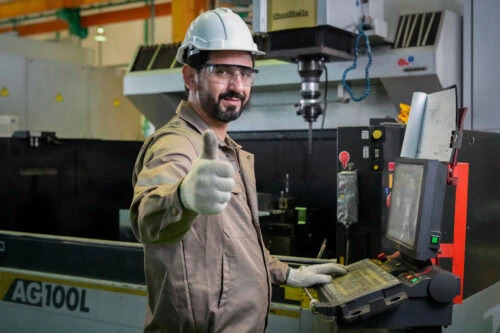
With accurate data in place, teams tend to gain greater confidence in the decisions they support.
Ready to Get Real Data?
If you’re eager to start answering practical business questions about your true capacity, where downtime is costing you the most or whether to add a machine, another hire or another shift, talk with an SFA expert today about the data you can trust, the processes you need to define and the operational decisions that you need to solve – accurately.